
The GUI UI is visually complete, the links are working and now we need to add the complete filter codes. right now you can click an option and select the photo you want to edit.
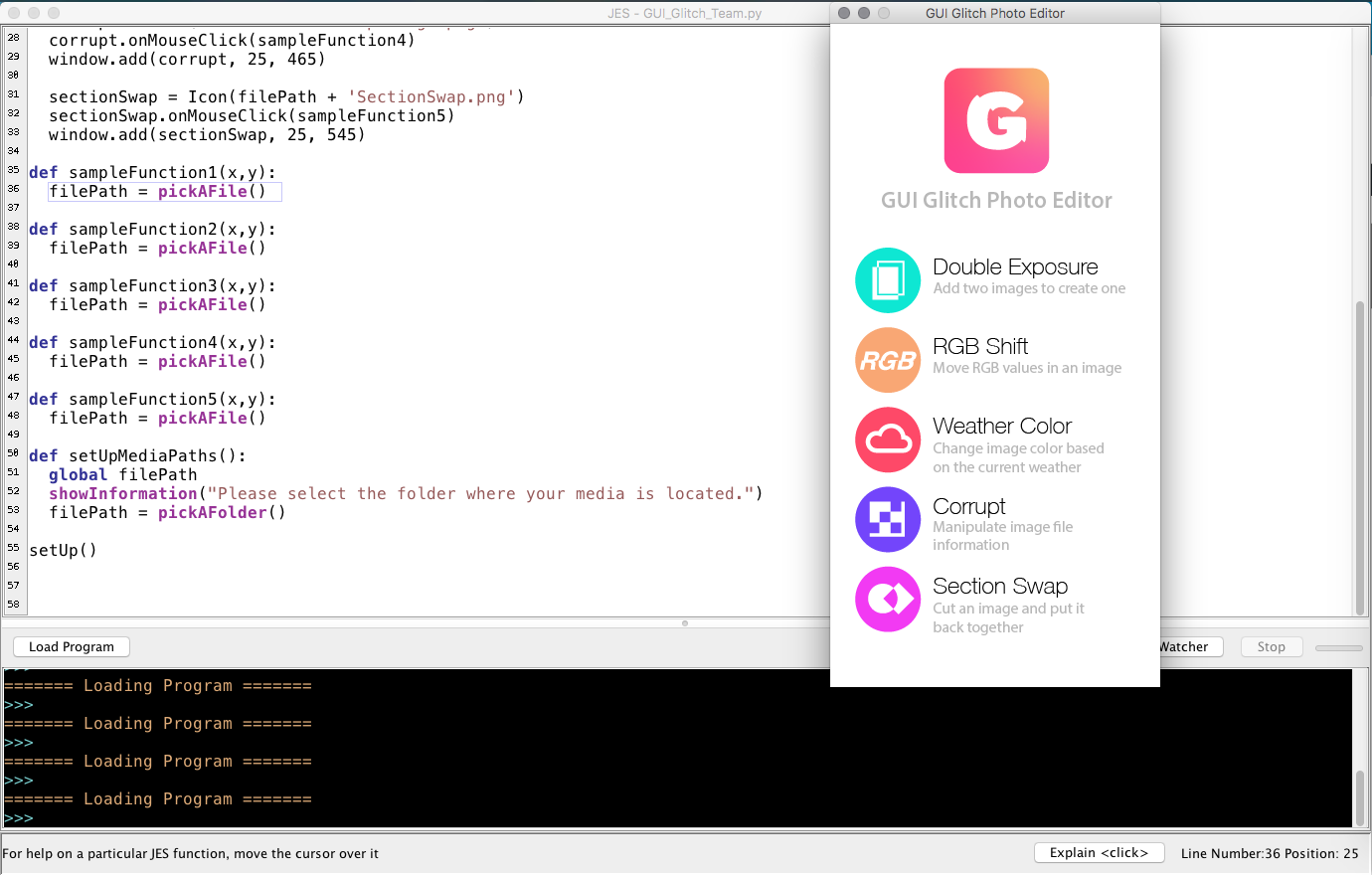
#GUI GLITCH TEAM, December 2018
#Danny Anderson, Molli Nava, Katie Dawe, Evan Gustafson

import gui
from gui import *

filePath = None

def setUp():
  global filePath
  setUpMediaPaths()
  window = Display("GUI Glitch Photo Editor", 332, 667)
  window.add(Icon(filePath + 'GlitchLogoBG.png'), 0, 0)

  exposure = Icon(filePath + 'DoubleExposure.png')
  exposure.onMouseClick(sampleFunction1)
  window.add(exposure, 25, 225)

  rgbShift = Icon(filePath + 'rgbShift.png')
  rgbShift.onMouseClick(sampleFunction2)
  window.add(rgbShift, 25, 305)

  weatherColor = Icon(filePath + 'WeatherColor.png')
  weatherColor.onMouseClick(sampleFunction3)
  window.add(weatherColor, 25, 385)

  corrupt = Icon(filePath + 'CorruptImage.png')
  corrupt.onMouseClick(sampleFunction4)
  window.add(corrupt, 25, 465)

  sectionSwap = Icon(filePath + 'SectionSwap.png')
  sectionSwap.onMouseClick(sampleFunction5)
  window.add(sectionSwap, 25, 545)

def sampleFunction1(x,y):
  filePath = pickAFile()

def sampleFunction2(x,y):
  filePath = pickAFile()

def sampleFunction3(x,y):
  filePath = pickAFile()

def sampleFunction4(x,y):
  filePath = pickAFile()

def sampleFunction5(x,y):
  filePath = pickAFile()

def setUpMediaPaths():
  global filePath
  showInformation("Please select the folder where your media is located.")
  filePath = pickAFolder()

setUp()
