
Today I built the project UI, I did this primarily in Adobe Illustrator. I had a vision for what I assumed our interface would look like. I had wireframed a design concept already. However, it was good that we were all working together on this because our team had other (really better) ideas than me. We decided to design only the GUI window because that’s all we had control over. Below is what our UI will look like after we are done. This took many iterations, and we even made a logo for our project.
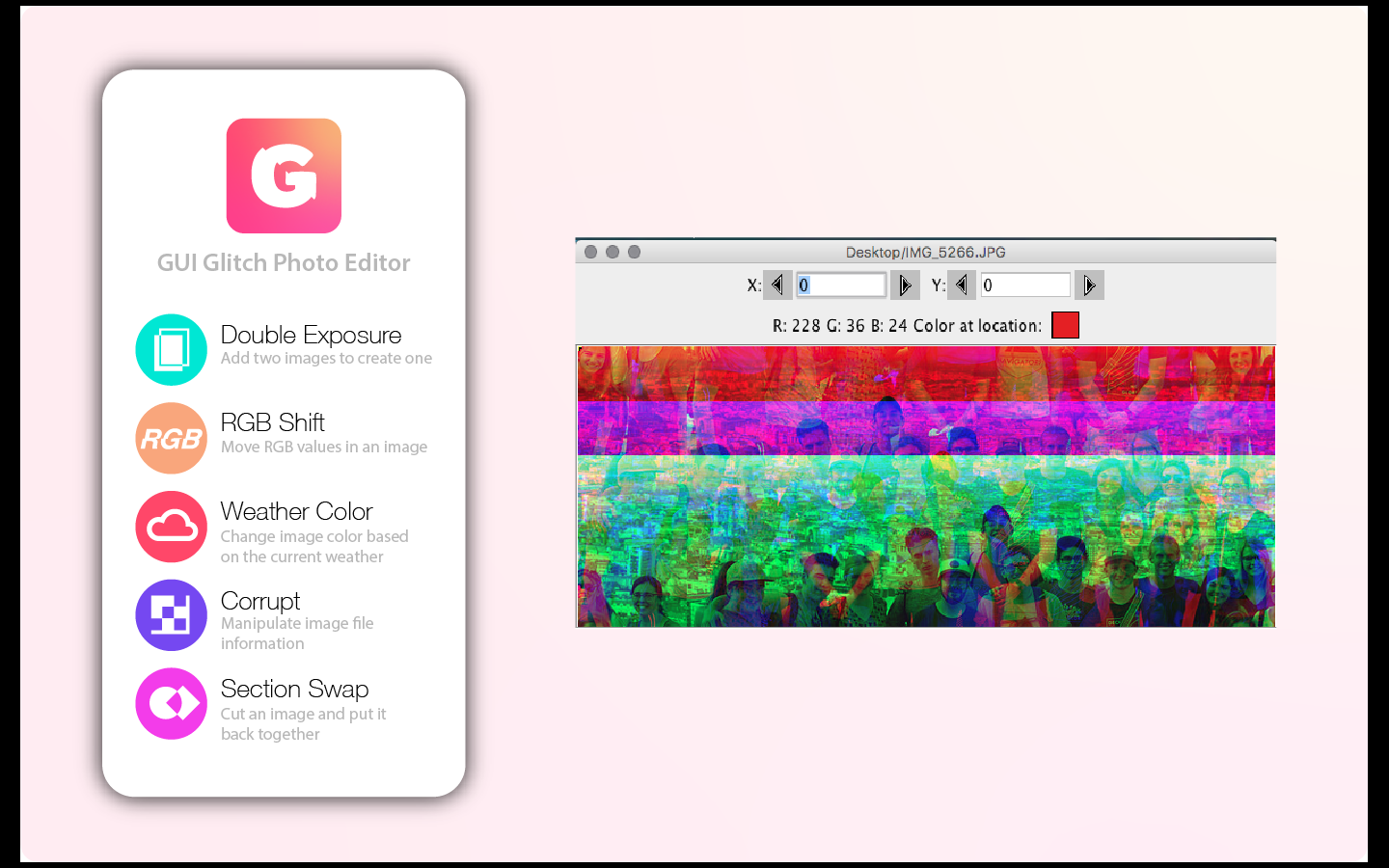
#GUI GLITCH TEAM, December 2018
#Danny Anderson, Molli Nava, Katie Dawe, Evan Gustafson

import gui
from gui import *


def setUp():
  window = Display("GUI Glitch Photo Editor", 375, 667)


def showAnswer(x, y):
  global guiWindow, screenState, filePath
  guiWindow.removeAll()
  if screenState == 1:
    guiWindow.add(Icon(filePath + 'GlitchLogoBG.png'), 0, 0)

def setUpMediaPaths():
  global filePath
  showInformation("Choose the folder where your media files are")
  filePath = pickAFolder()

setUp()
This is my code I continued on, the GUI is taking a bit more time to get the correct background in place like the above UI.

