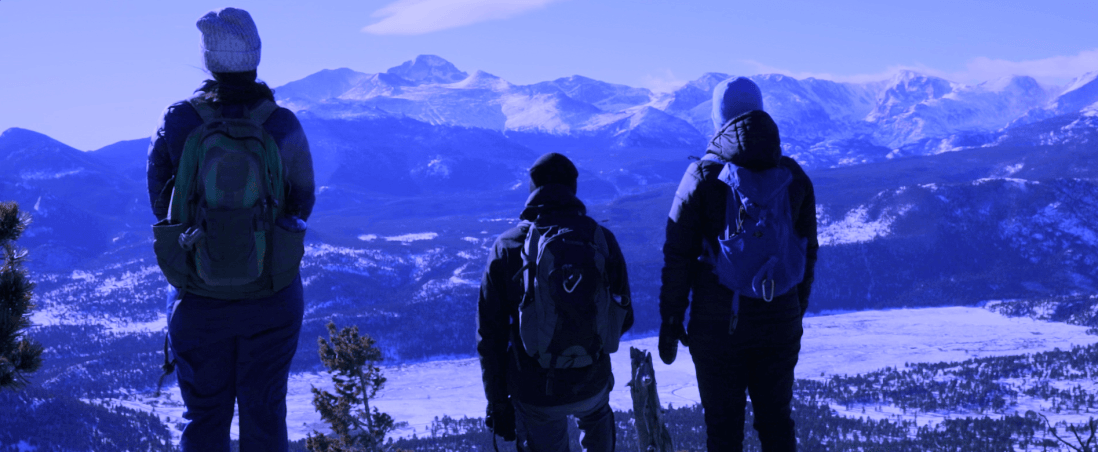
I worked on taking the API information from Yahoo Weather that Molli started working on and implemented a way to alter the color temperature of an image based on the outside temperature in Boulder.
import urllib
import simplejson as json
import gui

from gui import *


#API WEATHER GLITCH
#Description: This is the starting point for creating our API weather-based glitch.
#It currently uses a yahoo url to grab the current temperature and prints out that value, which we can then use to alter our photographs.
url = "https://query.yahooapis.com/v1/public/yql?q=select%20*%20from%20weather.forecast%20where%20woeid%20in%20(select%20woeid%20from%20geo.places(1)%20where%20text%3D%22boulder%2C%20co%22)&format=json&env=store%3A%2F%2Fdatatables.org%2Falltableswithkeys"
response = urllib.urlopen(url)
data = json.loads(response.read())
print data['query']['results']['channel']['item']['condition']['temp']
print data['query']['results']['channel']['item']['condition']['text']

temperature = data['query']['results']['channel']['item']['condition']['temp']
print int(temperature)
condition = data['query']['results']['channel']['item']['condition']['text']
#print int(condition)

def tempShift():
  temperature = data['query']['results']['channel']['item']['condition']['temp']
  condition = data['query']['results']['channel']['item']['condition']['text']

  picture = makePicture(pickAFile())

  if temperature > 50:
    for p in getPixels(picture):
      setRed(p,getRed(p)/1.2)
      setGreen(p,getGreen(p)/1.2)
      setBlue(p,getBlue(p)*1.5)

  elif temperature < 50:
    for p in getPixels(picture):
      setRed(p,getRed(p)*1.2)
      setGreen(p,getGreen(p)*1.2)
      setBlue(p,getBlue(p)/1.5)

  #if condition == 'Cloudy':
   # picture.add(cloudImg)

  #elif condition == 'Snow':
   # picture.add(snow.png)


  explore(picture)


def setUpMediaPaths():
  global filePath
  showInformation("Choose the folder where your media files are")
  filePath = pickAFolder()

global cloudImg
def loadClouds():
  global cloudImg
  cloudImg = Icon(filePath + '/clouds.png')


setUpMediaPaths()
tempShift()
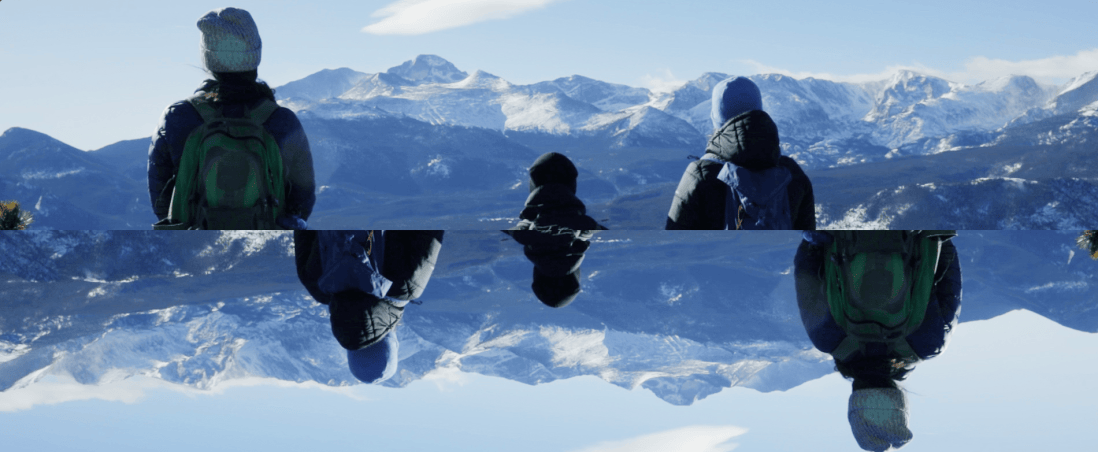
I also worked on creating the “Section Swap” filter. Currently, this program mirrors the top half of the image into the bottom half. The code is below.
#this function cuts the image horizontally in half and mirrors the top half into the bottom half of the image.


picture = makePicture(pickAFile())

def mirrorUpHalf():

  pixels=getPixels(picture)
  target=len(pixels)-1
  for index in range(0,len(pixels)/2):
    pixel1=pixels[index]
    color1=getColor(pixel1)
    pixel2=pixels[target]
    setColor(pixel2,color1)
    target=target-1

mirrorUpHalf()

explore(picture)